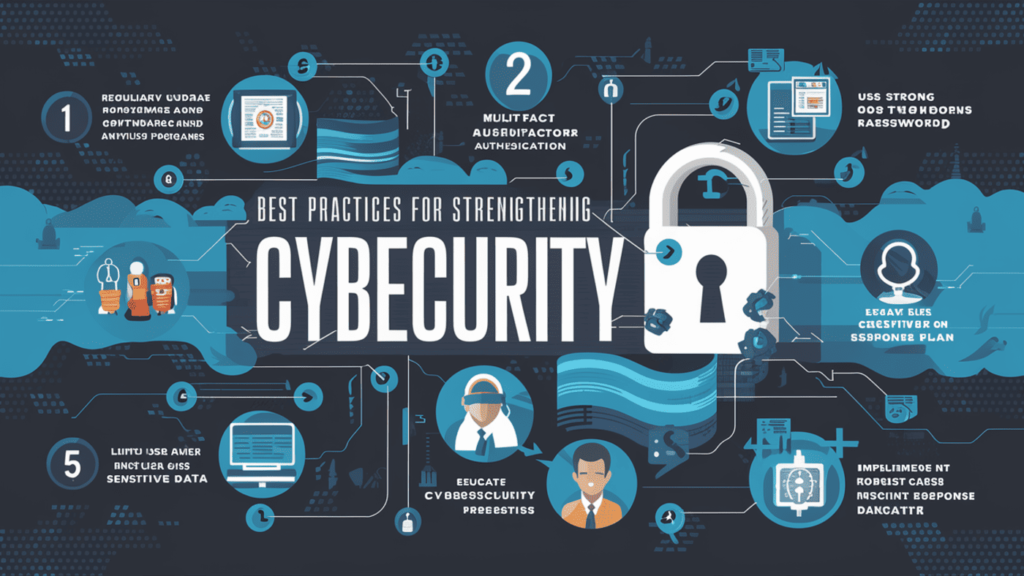
We live in a digital age where almost everything happens online — chatting with friends, shopping, banking, studying, and even working. But as our online activity grows, so do the risks. Hackers, viruses, scams, and data theft are common threats today.
That’s why Cybersecurity has become one of the most important topics in technology. It’s about keeping your devices, data, and privacy safe from cyber attacks.
In this article, we’ll explore what cybersecurity is, why it matters, and how you can protect yourself — in very simple words.
🌍 What Is Cybersecurity?
Cybersecurity is the practice of protecting computers, networks, and data from unauthorized access or attacks.
In simple terms, it’s like locking the doors and windows of your house — but for your online life.
Cybersecurity includes all the tools and techniques used to prevent hackers from stealing information, damaging systems, or spying on users.
Whether you’re a big company, a government, or just a person with a smartphone, cybersecurity helps you stay safe in the digital world.
💻 Why Is Cybersecurity Important?
Today, most of our personal and professional information is stored online — from photos and messages to bank accounts and business data.
If someone gains access to that information, they can cause serious harm. Cybersecurity helps prevent:
- Data Theft: Protects your passwords, files, and personal information.
- Financial Loss: Stops hackers from stealing money or credit card details.
- Privacy Violations: Keeps your messages, photos, and identity private.
- Business Damage: Prevents cyber attacks that can shut down companies.
- National Security Threats: Protects government systems from cyberwarfare.
Without cybersecurity, the internet would be a dangerous place to live and work.
🧠 How Cyber Attacks Happen
Cyber attacks can happen in many ways — often without you realizing it. Here are some common methods hackers use:
1. Phishing
Phishing means sending fake emails or messages that look real — like from your bank or a delivery service — to trick you into sharing your personal information.
Example: You get an email saying “Your account has been locked. Click here to reset your password.” When you click the link, hackers steal your login details.
2. Malware
Malware means malicious software — programs made to damage your device or steal data.
Types of malware include viruses, worms, trojans, and spyware.
Example: You download a “free game,” but it secretly installs malware that spies on your activities.
3. Ransomware
Ransomware locks your computer and demands money to unlock it.
It’s like a digital kidnapper holding your data hostage.
4. Password Attacks
Hackers use tools to guess or steal passwords. Weak passwords make it easy for them to break into accounts.
5. Social Engineering
Instead of using code, hackers manipulate people into giving away information — pretending to be someone you trust.
6. Denial of Service (DoS) Attacks
Hackers flood a website or server with too much traffic so that it crashes and stops working.
🛡️ Types of Cybersecurity
There are different kinds of cybersecurity depending on what is being protected:
1. Network Security
Protects the entire computer network from attacks or unauthorized access.
Example: Firewalls and intrusion detection systems.
2. Information Security
Keeps personal and business data safe from theft or loss.
3. Cloud Security
Protects data stored on cloud services like Google Drive or Dropbox.
4. Application Security
Ensures apps are safe to use and free from vulnerabilities.
5. Endpoint Security
Protects devices like laptops, phones, and tablets.
6. Internet of Things (IoT) Security
Secures smart devices like cameras, thermostats, and wearables connected to the internet.
🔢 Common Cybersecurity Tools
Professionals use many tools to defend against cyber threats. Here are a few:
- Firewalls: Act like a barrier between your computer and the internet to block harmful traffic.
- Antivirus Software: Detects and removes malware from your device.
- Encryption: Converts data into secret code so only authorized users can read it.
- VPN (Virtual Private Network): Keeps your internet connection private and secure.
- Password Managers: Help create and store strong passwords safely.
- Two-Factor Authentication (2FA): Adds an extra layer of protection by requiring two forms of verification (like password + OTP).
🔍 Examples of Cybersecurity in Real Life
Here are some simple real-world examples of cybersecurity in action:
- Banks: Use encryption and firewalls to protect customers’ financial transactions.
- Hospitals: Secure patient records with strict privacy measures.
- E-commerce sites: Use secure payment gateways (HTTPS) for safe online shopping.
- Schools: Protect students’ data and prevent hacking of digital learning platforms.
- Governments: Defend national databases from cyber espionage.
Without cybersecurity, these systems would be easy targets for hackers.
💡 Best Practices for Personal Cybersecurity
You don’t need to be a tech expert to stay safe online. Here are some simple steps everyone can follow:
1. Use Strong Passwords
Create passwords with a mix of letters, numbers, and symbols. Avoid using names or birthdays.
2. Enable Two-Factor Authentication
Add extra security to your accounts using an OTP or fingerprint.
3. Be Careful with Emails
Never click suspicious links or download unknown attachments.
4. Update Software Regularly
Keep your phone, apps, and antivirus up to date to fix security holes.
5. Avoid Public Wi-Fi for Banking
Hackers can easily intercept data on open networks. Use a VPN when possible.
6. Backup Important Data
Keep copies of your files on an external drive or cloud storage.
7. Don’t Share Too Much Online
Be careful with what personal details you post on social media.
Small actions like these can protect you from big problems later.
⚙️ How Businesses Use Cybersecurity
For businesses, cybersecurity is more than protection — it’s survival.
Companies rely on digital tools, emails, and online transactions. A single cyber attack can cause massive financial and reputational damage.
Businesses use cybersecurity to:
- Protect customer and employee data
- Detect and stop cyber threats early
- Train staff about safe online behavior
- Meet legal and privacy requirements
- Maintain trust with clients and partners
Large organizations often hire cybersecurity experts or ethical hackers to test their systems for weaknesses.
🧠 The Role of Ethical Hackers
Ethical hackers, also known as white hat hackers, are cybersecurity professionals who find and fix security flaws before bad hackers do.
They perform “penetration testing,” which means trying to break into systems (legally) to make them stronger.
Ethical hacking helps organizations stay one step ahead of cybercriminals.
🔒 Cybersecurity in Everyday Life
Here are some ways cybersecurity affects you daily — even if you don’t notice:
- When you shop online and see the padlock icon (🔒) in your browser — that’s encryption protecting your data.
- When you log into social media using 2FA — that’s authentication security.
- When your phone blocks spam calls — that’s AI-driven cybersecurity.
Cybersecurity works silently in the background to make the internet a safer place.
🌱 The Future of Cybersecurity
As technology grows, so do cyber threats — but so do the defenses. The future of cybersecurity will rely on smarter, AI-powered systems.
Here are a few trends shaping the future:
- Artificial Intelligence (AI): AI can detect threats faster than humans.
- Automation: Security tools that automatically respond to attacks.
- Zero-Trust Models: “Never trust, always verify” approach to every access request.
- Quantum Cryptography: Ultra-secure encryption methods that are nearly impossible to hack.
- Cybersecurity Awareness: More education and training for users worldwide.
As digital systems become more advanced, cybersecurity will be more important than ever.
⚠️ Common Cybersecurity Myths
Let’s clear up a few misunderstandings:
- ❌ “I’m not important enough to be hacked.”
→ Everyone’s data has value — to hackers, even small details matter. - ❌ “Antivirus alone keeps me safe.”
→ Antivirus helps, but you also need good habits like strong passwords and updates. - ❌ “Only computers get viruses.”
→ Phones and tablets can be hacked too. - ❌ “Public Wi-Fi is safe if it’s free.”
→ Free networks are easy for hackers to spy on.
Being aware is the first step toward being secure.
🧮 Careers in Cybersecurity
Cybersecurity is one of the fastest-growing career fields in technology. Some popular jobs include:
- Security Analyst: Monitors and protects company systems.
- Penetration Tester (Ethical Hacker): Finds weaknesses in networks.
- Cybersecurity Engineer: Designs secure software and networks.
- Incident Responder: Handles cyber attacks when they happen.
- Security Consultant: Advises organizations on safety measures.
With more data online every day, cybersecurity experts are in huge demand worldwide.
💬 Final Thoughts
Cybersecurity isn’t just for tech experts — it’s for everyone.
Every time you browse the web, send an email, or make an online payment, you’re part of the digital world. Protecting yourself from cyber threats is just as important as locking your home at night.
By staying informed, being careful, and following good security habits, you can enjoy the internet safely and confidently.
In a connected world, cybersecurity equals peace of mind.